
How to Manage Client Expectations in Complex B2B Workflows

ScaleLabs helps ops-heavy B2B teams ship client portals and workflow automation that reduce email chaos, speed up onboarding, and improve visibility across the business.

Clear visibility into status turns your team from “human dashboards” into true operators.
If your week is a blur of “quick check-ins” and “can we hop on a call about status?”, you’re not alone. Ops and account leaders in complex B2B workflows spend a big chunk of their time translating chaos into client‑friendly updates.
Learning how to manage client expectations is less about being endlessly available and more about designing a system where expectations stay sane even when projects shift.
The good news: you don’t need heroic inbox stamina. You need clearer upfront agreements, consistent language around progress, and a place where clients can see what’s happening without pinging your team every few hours. In this guide, we’ll walk through a practical framework and show how a custom client portal can take the “human status dashboard” job off your plate.
TL;DR
- Expectation problems usually come from invisible work and shifting assumptions, not “difficult” clients.
- Define what “good” looks like: shared outcomes, clear status stages, and a simple communication rhythm.
- Use one standard status language (e.g., In Intake, In Review, Waiting on Client) across teams and tools.
- Let systems carry status: use a portal or workflow tool so clients can self‑serve instead of emailing your team.
- Keep humans focused on nuance and decisions, while automation handles nudges, reminders, and logs.
Why expectations break in complex B2B work
In consumer SaaS, status is simple: logged in or out, order shipped or not. In construction, logistics, engineering, or insurance, a single “project” can have dozens of internal steps, approvals, handoffs, and compliance checks. Your client only sees three things: a kickoff call, a long gap, and then a rushed delivery.
When the work between those points is invisible, clients write their own story. And in the absence of information, that story usually sounds like: “Nothing’s happening” or “They’ve forgotten us.”
Your team becomes the status layer
You’ve probably seen this movie:
- Sales promises “regular updates.”
- Ops is juggling 40 live projects and 12 tools.
- Clients escalate to leadership when they can’t get a straight answer.
Suddenly, your project managers and account leads spend more time forwarding screenshots than pushing work forward. They’ve become a human integration between your CRM, email, spreadsheets, and task tools.
Clients fill the information vacuum
The project might be on track, but if the only visible signal is silence, trust starts to fray. Research from the Project Management Institute has long linked expectation gaps to stakeholder frustration and project churn, especially when communication is ad‑hoc and undocumented.
In other words, expectation management isn’t a “soft skill” on the side of delivery. It is a delivery.
“Clients don’t need every internal detail. They just need to know that the next right thing is happening, on time, without them chasing you.”
What “good” client expectations look like
Before we reach for tools, it helps to define the target. In the best‑run B2B relationships we see, expectations share three traits.
1. A shared definition of “done.”
Great relationships start with a specific, documented outcome: which sites go live, which regions roll out, which SLAs apply, which data points appear in which reports. This goes beyond the statement of work. It looks like:
- Clear acceptance criteria per phase.
- Who signs off (by role, not just name).
- What happens after go‑live (support, warranty, change requests).
2. An agreed communication rhythm
Instead of “we’ll keep you posted,” top teams define:
- How often structured updates go out (weekly, fortnightly, milestone‑based).
- Which channel is for what (portal, email, calls, executive reviews).
- Which metrics appear every time (overall status, risks, decisions needed).
PMI calls this a stakeholder communication plan; in practice, it’s just a simple contract about how you’ll talk to each other. PMI guidance on stakeholder expectations is a useful reference when you’re formalising it.
3. Transparent constraints and risks
Many “unreasonable expectations” started as reasonable ones that never got updated. When scope, dependencies, or regulations shift, clients can handle it—as long as they see why and what it changes.
A simple framework for managing expectations without being a status robot
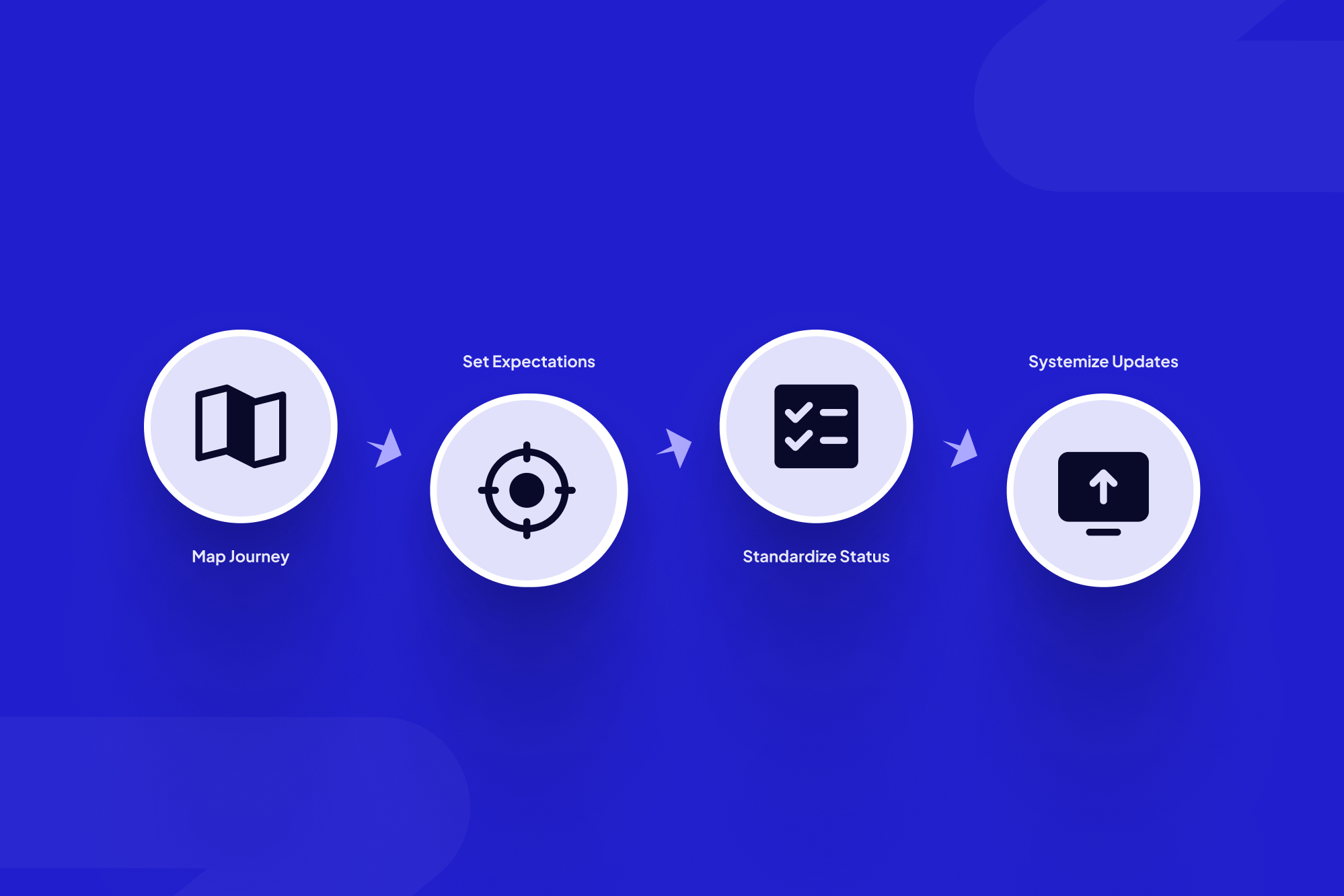
Let’s turn this into something you can hand to your team. Here’s a four‑step framework we use with operations‑heavy B2B clients.

Start by mapping the client-visible journey so everyone shares the same mental model.
Step 1: Map the real workflow your client cares about
Grab a whiteboard (or FigJam) and map the client‑visible journey from “we’ve signed” to “we’re live and stable.” Ignore internal task details at first. Focus on:
- Key phases (e.g., Intake → Design → Approvals → Implementation → Stabilisation).
- Where you need client input or approvals.
- Where projects often stall today.
A surprising number of teams realise they’ve never agreed internally on these stages. No wonder status emails feel inconsistent.
Step 2: Build a one‑page “expectations brief” per client
Turn that map into a one‑pager you walk through on kickoff. At minimum, include:
- Timeline ranges per phase (not fake precision).
- What the client will see at each stage (reports, dashboards, walk‑throughs).
- What you need from them to keep things moving.
- How you’ll flag risks or delays—and where they’ll see that status.
This brief should live somewhere permanent: a shared drive, your client portal, or your CRM notes. Anything but someone’s sent folder.
Step 3: Standardise your status language
This is the quiet win that changes everything. Decide on a small, shared set of status labels such as:
- Planned – in the queue, not yet started.
- In Progress – work currently underway.
- Waiting on Client – blocked on information or approval.
- In Review – being checked by internal teams.
- Completed – delivered and accepted.
Use those same words in every system, slide deck, and portal screen. Clients learn the pattern once and stop trying to decode each new update.
Step 4: Let systems carry status instead of people
Once you have a simple language and a clear journey, you can wire it into tools:
- Update status in one place (your internal workflow tool); expose it automatically in a portal.
- Trigger notifications only when status changes or input is due, not “just because it’s Friday.”
- Log all updates so there’s a single history if something gets questioned later.
This is where AI‑driven workflows for the real economy shine: agents can watch for stuck items, expired approvals, or missing documents and nudge the right person without a project manager babysitting every line item.
Examples from ops-heavy B2B teams

In complex engineering environments, shared status views reduce escalations and rebuild trust.
Engineering projects with long review cycles
One engineering client we worked with had a pattern: design work flew, but approvals dragged. Clients felt nothing was happening, even when internal teams were slammed working through changes.
By mapping phases and exposing high‑level status in a portal—plus an “Waiting on Client” lane they could see—approval times dropped and escalations dropped with them. The work didn’t change; the expectations did. (If that sounds familiar, you may like the case studies on our projects page.)
Insurance and financial services onboarding
In regulated industries, the paperwork alone can sink goodwill. We’ve seen teams cut email threads by more than half by centralising intake, document exchange, and approvals in a shared portal, instead of sending attachments back and forth.
McKinsey and others have reported that B2B buyers increasingly prefer self‑service for routine updates; McKinsey’s research on B2B digital self‑service is one example. Giving them a clear window into onboarding progress taps right into that preference and reduces pressure on your coordinators.
What to automate vs keep human
Not every touchpoint should be automated. The trick is to let software handle the repetitive, low‑judgement parts, and reserve human time for nuance and trade‑offs.
A well‑designed client status portal for status and approvals gives you both: always‑on visibility plus clear moments where a person steps in to interpret risk, help with trade‑offs, or reset timelines.
How a client portal changes the expectation game

A client portal gives stakeholders a single, self-serve window into status, documents, and decisions.
Once status lives in a structured system instead of scattered emails, expectations start to feel less like a personality match and more like a shared dashboard for the work.
Clients self‑serve status instead of pinging your team
When clients can log in and see “In Review” or “Waiting on Client,” many of the “quick updates” vanish on their own. That lines up with a recent Gartner survey finding that 61 percent of B2B buyers prefer a rep‑free buying experience. In ScaleLabs builds, teams often see email threads drop sharply once a portal becomes the default home for status and documents.
Role‑based access keeps the right level of detail
Executive sponsors can see portfolio‑level progress. Day‑to‑day contacts can see project‑level detail. Your internal specialists still work in the stack they know—CRM, ERP, ticketing—but the portal pulls out the pieces clients care about and leaves the rest behind the scenes.
Audit trails protect the relationship
When expectations are documented—who agreed to what, when a risk was raised, when a due date changed—tough conversations become easier. You’re no longer relying on “I think we said…” but on a shared record everyone can check.
This is exactly the kind of workflow ScaleLabs designs and ships for operations‑heavy B2B teams. From vendor onboarding to construction scheduling, we embed AI into the workflow and deliver it as a portal your clients actually use.
Getting started this quarter
You don’t have to rip out every process to get out of “status robot” mode. Here’s a practical way to start.
1. Run a “Where Does Status Live?” workshop
Bring together ops, account management, and project leads. List every place status currently exists—slide decks, inboxes, spreadsheets, PM tools, shared drives. The mess you uncover is your business case for change.
2. Pilot a standard status template with one key client
Take the four‑step framework above and test it with one account:
- Map the journey.
- Draft the expectations brief.
- Standardise the status labels.
- Choose a single “source of truth” for updates.
If you want inspiration on digital workflows, you can also skim other pieces on the ScaleLabs blog.
3. When you’re ready, graduate to a proper portal
Once you’ve proved that standardised expectations calm things down, the next step is to move them out of PowerPoint and into a live system. That might start as a simple status page and grow into a full client portal with approvals and document workflows.
If you’re managing complex, high‑stakes workflows and want a partner to help map them and ship a production‑grade portal, you can book a call with ScaleLabs.
Key Takeaways
- Expectation issues usually come from invisible work and shifting assumptions, not bad intent.
- Define outcomes, communication rhythm, and constraints together so everyone knows what “good” looks like.
- Use one status language across teams, tools, and client‑facing views.
- Let systems carry routine status while humans handle nuance and decisions.
- A well‑designed client portal turns your team from status translators into operators again.


