
Business Process Improvement: A Practical Guide for Scaling Operations

ScaleLabs helps ops-heavy B2B teams ship client portals and workflow automation that reduce email chaos, speed up onboarding, and improve visibility across the business.
Business process improvement starts with getting the right people aligned on how work really gets done today.
TL;DR
- Scaling breaks when processes live in email threads, spreadsheets, and people’s heads.
- Start small: pick one high impact workflow, map how it really works, then fix the biggest bottlenecks.
- Use a simple 5 step framework to redesign, roll out, and measure operational gains.
- AI and automation help most once the process itself is clear and stable.
- If you want help building the workflow or portal around your process, book a call with ScaleLabs.
If you run operations at a growing company, you’ve probably felt that moment when the wheels start to wobble. A new region goes live, a big customer signs, or you add a new product line and suddenly the processes that used to “just work” start dropping balls, creating rework, and burning people out. That’s the point where a deliberate approach to business process improvement stops being a nice to have and starts feeling like self defense for your team.
What is business process improvement?
In plain language, business process improvement is a structured way of making the work that runs your company faster, more reliable, and less painful for everyone involved. It pulls ideas from frameworks like Lean, Six Sigma, and continuous improvement, then applies them to the actual workflows your teams touch every day: onboarding vendors, handling claims, scheduling field work, managing installations, or coordinating inspections.
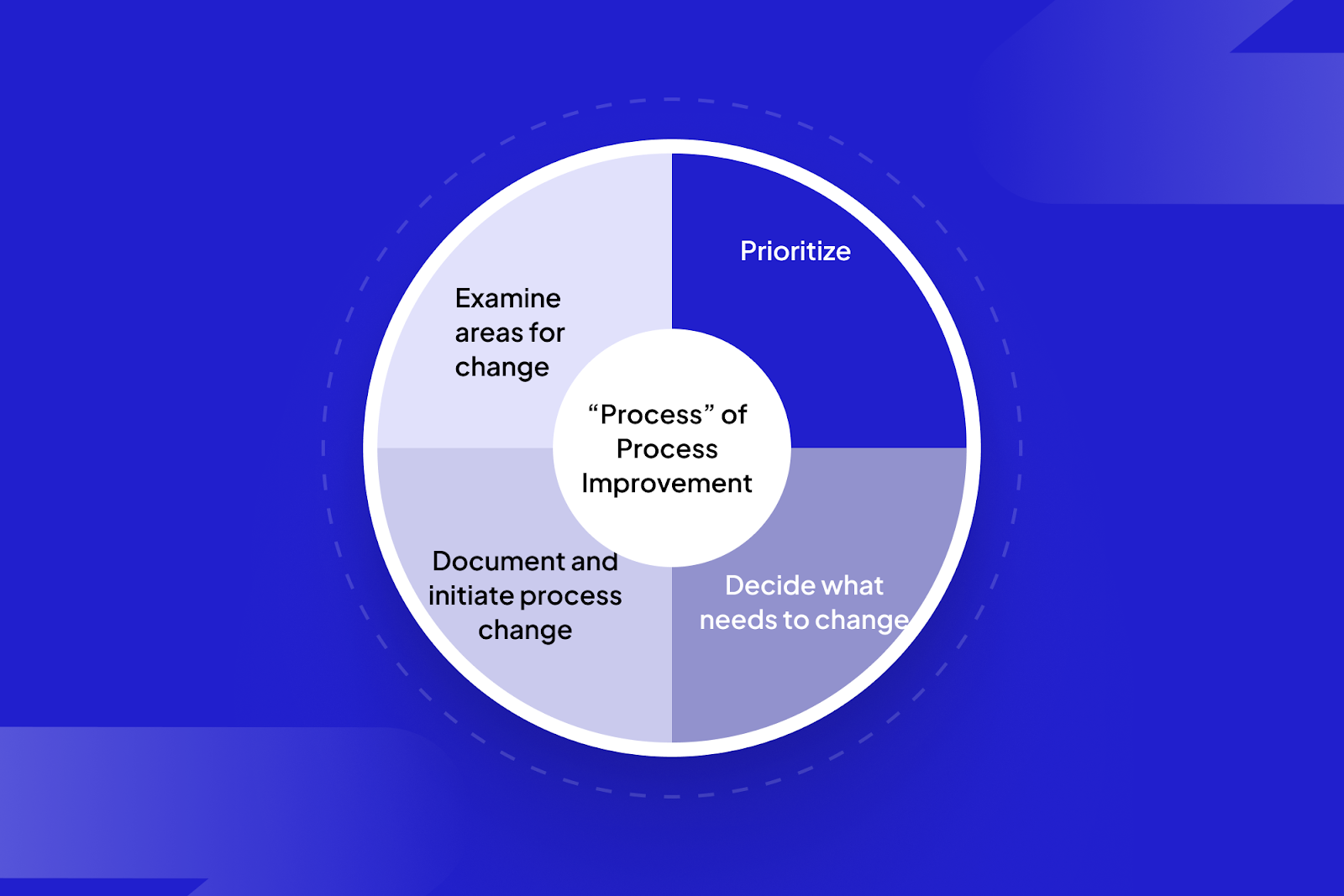
Instead of asking, “Which tool should we buy?”, it asks, “What exactly happens between trigger and outcome and where does it go wrong?” That shift in focus is where most of the value hides.
“Tools don’t fix broken processes. They scale whatever you already have, good or bad.”
Signs your operations are ready for a change
Most operations leaders don’t wake up one morning and decide, “Today is the day for an operational business process improvement program.” It usually shows up as a set of nagging symptoms:
- Key workflows live in long email threads and spreadsheet trackers that only one person truly understands.
- Customers, vendors, or internal teams keep asking, “Who has this now?” or “What’s the status?”
- Hand offs between departments (sales → ops, ops → finance, field → back office) are where work goes to disappear.
- New hires struggle to learn “how things really work” because the process on paper doesn’t match reality.
- Leaders have a backlog of “we should fix this” processes but no structured way to work through them.
If two or three of these feel familiar, you’re sitting on a pile of process debt. You’re getting the work done, but every extra unit of volume requires more people, more emails, and more heroics. That’s a tough way to scale.
A simple 5 step business process improvement framework
You don’t need a PhD in operations research to run a solid improvement effort. The key is a repeatable playbook you can apply process by process.
Step 1: Pick one process that truly matters
Start with a workflow that is:
- High impact (touches revenue, margin, risk, or customer experience).
- High volume (runs every day or every week).
- High pain (people visibly groan when it comes up).
Examples: vendor onboarding, customer onboarding, job scheduling, claims intake, change order approvals, or inspection scheduling.
Step 2: Map the real current state
Get the people who actually run the process into a room (or call) and sketch how work flows today. Whiteboard, sticky notes, Miro it doesn’t matter. What matters is that you capture:
Mapping the current state visually surfaces hidden steps, workarounds, and hand offs that slow your operations down.
- The trigger (what starts the process).
- Every hand off between people or teams.
- Systems and tools used at each step.
- Approvals and decision points.
- Where work waits or bounces back.
Expect the map to surface “shadow steps” like side spreadsheets or WhatsApp messages. Those are gold; they show you where the official process isn’t cutting it.
Step 3: Find bottlenecks and failure modes
Once you have a shared picture, ask questions like:
- Where do tickets, requests, or jobs pile up?
- Where do we see the most rework or back and forth?
- Where are we depending on a single expert or spreadsheet?
- Which steps create the most complaints from customers or partners?
Even rough metrics help here: cycle time, error rates, hand‑off counts, or “time stuck in the inbox.” You don’t need perfect data; directional numbers already show where improvement will pay off.
Step 4: Redesign with guardrails, not just good intentions
With pain points on the table, sketch a better future state. Focus on:
- Reducing hand offs, especially cross department ones.
- Standardizing inputs (forms, required fields, document templates).
- Creating clear “entry and exit” criteria for each step.
- Building in simple checks, not heavy approval chains, where risk is highest.
This is also the moment to identify where a portal or workflow app might help: a single place where vendors, clients, or internal teams can submit requests, upload documents, and see status instead of chasing email threads.
Step 5: Implement, measure, and iterate
Roll the new process out to a small group first. Give them:
- A simple, visual process guide (not a 40 page SOP nobody reads).
- Clear owners for each step and for the process as a whole.
- A way to flag friction in real time (short feedback form or chat channel).
Track a handful of metrics over a few weeks cycle time, hand‑offs, error/rework counts, or completion rates. Then tune the process and, if needed, the supporting tools.
Operational business process improvement examples
To make this concrete, here are a few ways operational business process improvement shows up in the “real economy” sectors we work with at ScaleLabs.
In sectors like construction and utilities, process improvements in vendor onboarding and scheduling directly impact safety, timelines, and margins.
Example 1: Vendor onboarding for a construction company
Problem: New subcontractors were onboarded through spreadsheets, email, and shared folders. Compliance documents expired with no warning, and project managers had no single view of which vendors were fully cleared for site work.
Improvements:
- One standardized intake form for all new vendors.
- Automated checks for missing documents and signatures.
- A status dashboard for operations and project managers.
- Renewal reminders before insurance or certifications lapse.
Example 2: Field job scheduling for a utilities company
Problem: Work orders were handed out through shared inboxes and manual spreadsheets. Jobs were double booked, and technicians wasted drive time moving between distant sites.
Improvements:
- Structured work order intake from customer support and planning teams.
- Rule based routing by region, skill set, and priority.
- Scheduling view that highlights conflicts and idle capacity.
- Automatic updates to customers when jobs are assigned or rescheduled.
None of these changes are exotic. They come from knowing your process in detail and then giving it a better “home” than scattered inboxes and spreadsheets.
Where AI powered workflow tools fit in
Once a process is well defined, AI becomes much more than a buzzword. It can check forms for completeness, route work items, flag anomalies, and surface better decisions.
AI powered workflow tools sit on top of clear processes to route work, highlight risks, and support better, faster decisions.
For example, in a vendor onboarding portal, AI agents can:
- Validate that documents match the vendor’s legal name and region.
- Highlight missing clauses in contracts or insurance certificates.
- Route edge cases to legal or compliance while auto approving low‑risk cases.
In job scheduling, AI can:
- Group jobs by geography to cut windshield time.
- Recommend technician assignments based on skills and certifications.
- Spot patterns in repeat failures or rework by equipment type or location.
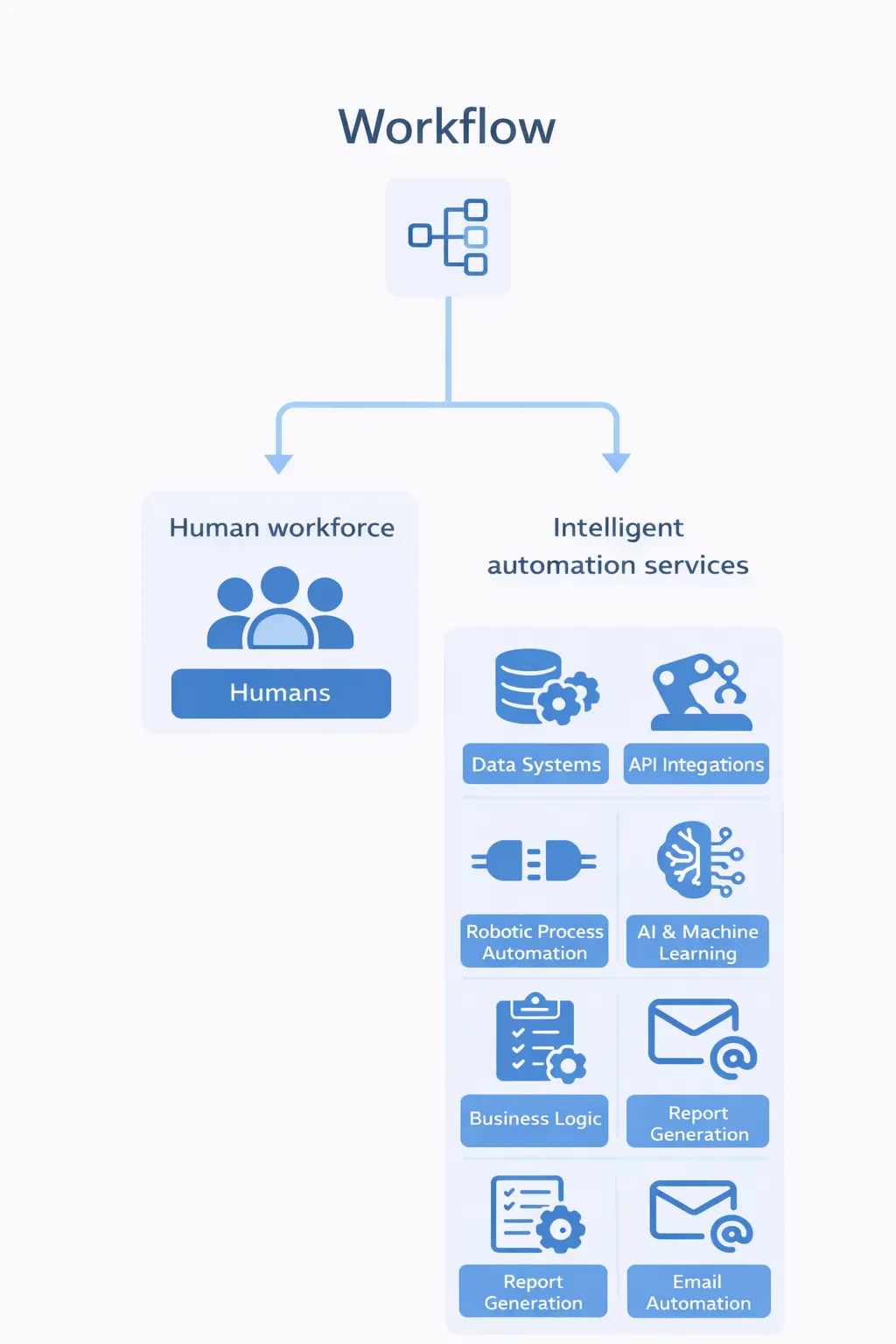
This is the kind of work ScaleLabs focuses on: building custom workflow applications and portals that connect people, systems, and data, then layering in AI to nudge each process toward the right next step.
How to choose business process improvement solutions
Once you know what needs to change, you’ll face a familiar question: spreadsheet tweaks, generic SaaS, big ticket platforms, or a custom solution?
A few practical questions to ask as you look at business process improvement solutions:
- How complex are your workflows? Simple, single team flows may live just fine in lighter tools. Cross functional, multi‑party processes usually need something more structured.
- How many exceptions do you handle? If “it depends” is the norm, you’ll need configurable rules and human checkpoints, not rigid ones that fits all flows.
- What systems do you need to connect? CRM, ERP, finance, document management, field apps your solution should meet those where they are, not rip them out.
- Who will own the process long term? If your internal team can’t realistically administer a complex platform, that platform will end up unused.
At ScaleLabs, we usually see three paths work best:
- Quick wins inside existing tools (better templates, shared views, simple automations).
- Dedicated workflow or portal projects for mission critical processes.
- Ongoing improvement cycles where the process and the software evolve together.
A 30 day plan to get started
You don’t need a giant “transformation program” to make progress. Here’s a simple 30 day outline you can use with your team:
If you’d like another set of eyes on your Week 2 or Week 3 outputs, you can share them with a partner like ScaleLabs and have a technical team translate them into an actual workflow application or portal.
When to bring in a partner like ScaleLabs
Some teams are happy to run this playbook end to end and then pick their own tools. Others prefer a partner who can both talk process and ship production grade software.
ScaleLabs works with operations heavy businesses in construction, utilities, logistics, insurance, real estate, and other “real economy” sectors to:
- Map critical workflows with operations leaders and subject matter experts.
- Design vendor and client portals that match how your business actually works.
- Build AI powered workflow applications that route tasks, validate inputs, and keep work moving.
- Connect to your existing CRM, ERP, finance, and document systems instead of replacing them.
If you have a specific process in mind vendor onboarding, job scheduling, claims intake, installations, inspections and you want to see what a modern workflow or portal could look like, you can book a call with the ScaleLabs team.


