
How to Build a Business Process Automation Strategy That Scales

ScaleLabs helps ops-heavy B2B teams ship client portals and workflow automation that reduce email chaos, speed up onboarding, and improve visibility across the business.
If you run operations in a utility, logistics company, construction group, or insurance brokerage, you probably know the feeling: a “simple” onboarding or installation turns into a maze of email threads, spreadsheet versions, and last‑minute phone calls. Everyone is working hard, yet orders still fall through the cracks.
That’s usually the moment someone says, “We need automation.” But what actually separates a useful business process automation strategy from a graveyard of half configured tools and abandoned pilots? This guide walks through a practical way to design automation that respects how your teams really work, connects to your existing systems, and can scale without becoming another legacy headache.
TL;DR
- Start by mapping the messy, grounded process, not the slideware version.
- Set clear goals, guardrails, and human checkpoints before choosing tools.
- Use a staged process automation roadmap: one high value workflow at a time.
- Measure email volume, handoff delays, and completion rates to prove value.
- Bring in a build partner when workflows cross teams, vendors, and systems.
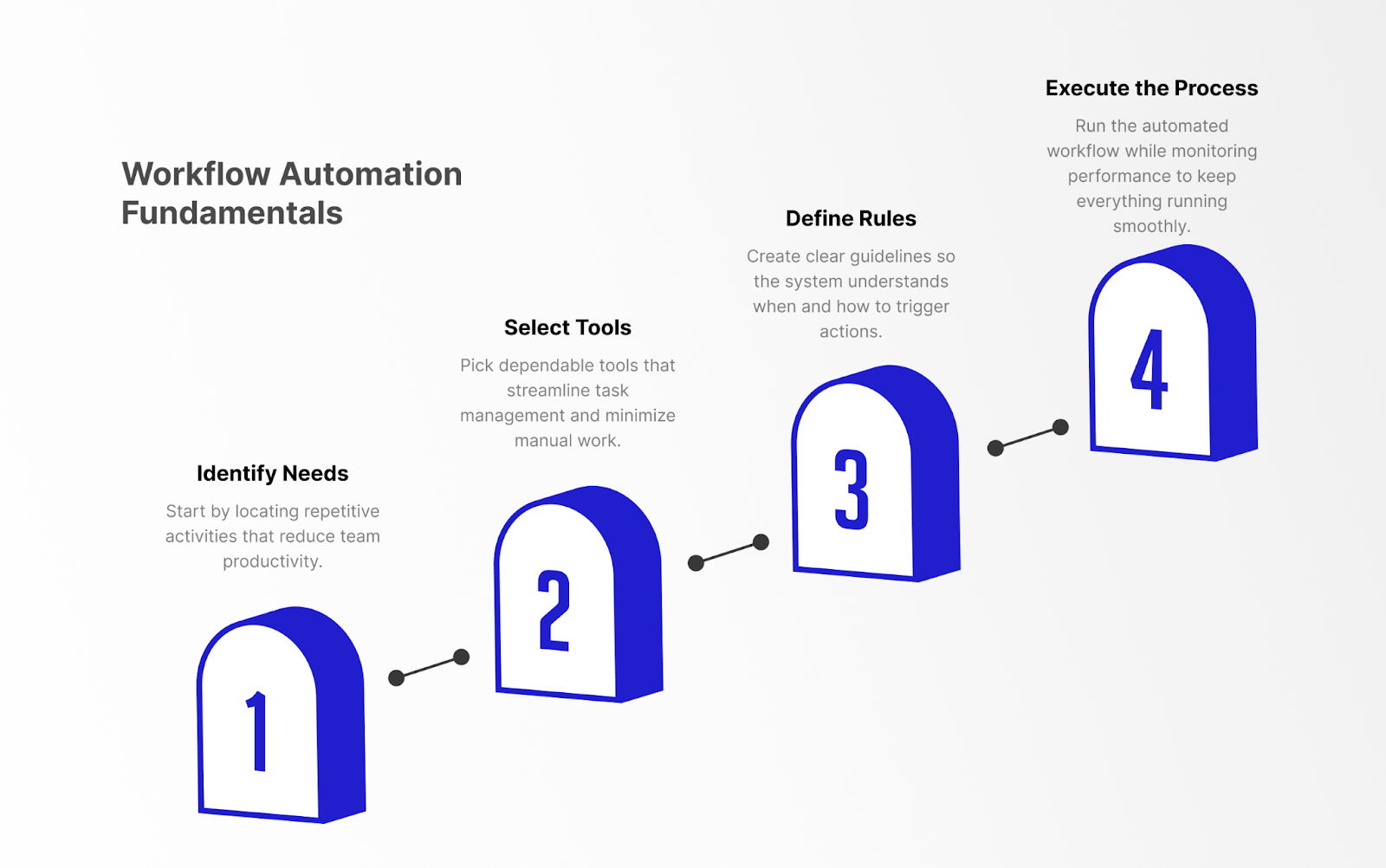
What “business process automation” really means in the real economy
A business process automation strategy is not “let’s plug in an RPA tool and hope for the best.” For operations‑heavy companies, it’s about giving direction to work as it flows across people, systems, and vendors.
In practice, that means:
- Collecting information once and reusing it across CRM, ERP, billing, and field tools.
- Routing tasks based on rules: region, deal size, risk profile, or asset type.
- Using AI to check forms and documents, not as a black box that quietly changes decisions.
- Keeping humans in the loop at key checkpoints where judgment matters.
When it works, your teams stop chasing status updates and start focusing on higher‑value decisions. When it fails, you just get a new layer of confusion sitting on top of the old one.
To get more language for explaining this inside your organization, our article on workflow vs process automation breaks down how process maps and workflow orchestration fit together.
For a deeper dive on how portals fit into this, see our overview of ScaleLabs.
Signs you’re ready for a process automation strategy
Not every workflow needs orchestration from day one. But if you see these patterns, a more deliberate automation approach is overdue:
- Handoffs live in inboxes, and you rely on “reply all” to keep everyone in the loop.
- Customers or vendors keep sending duplicate information because each team asks separately.
- Leaders can’t answer simple questions like “How many installs are stuck and where?”
- New hires need weeks just to learn “how things really get done around here.”
If two or three of these rings are true, you don’t just need more dashboards. You need a structured process automation strategy and a roadmap for rolling it out.
Step 1: Map the real process, not the slide deck
Every automation project starts with a story about how work flows today. The trouble is, the version in the slide deck rarely matches what people actually do on the ground.
Shadow the workflow
Pick one core journey: new vendor onboarding, customer connection, claims intake, or agent appointment. Walk through recent examples from end to end with frontline staff. Ask:
- When does email get involved?
- Where do spreadsheets branch off from the “official” system?
- Who is pinged when something unexpected happens?
Capture systems, people, and decisions
On a simple process map or whiteboard, mark:
- Systems: CRM, ERP, ticketing, file storage, signature tools.
- Actors: internal teams, vendors, brokers, field crews, approvers.
- Decisions: routing, approvals, risk flags, technical checks.
If you want a more formal notation later, standards like BPMN 2.0 make it easier to keep diagrams consistent across teams and tools.
Spot failure modes
Finally, highlight the steps where things stall, double back, or disappear. These pain points later become candidates for automation, validation rules, and AI‑assisted checks.
Step 2: Set goals, guardrails, and metrics
Before touching tools, decide what “good” looks like. Otherwise, every vendor demo will sound amazing and you’ll have no way to compare options.
Align on outcomes
For the workflow you mapped, choose three to five outcomes such as:
- Reduce average onboarding time from 15 days to under 7.
- Cut internal email volume on this process by 40% or more.
- Increase on time completion rate from 70% to 90%.
- Give leaders a single dashboard that shows where work is stuck.
Define guardrails and human checkpoints
Decide where AI and rules can make decisions automatically, and where a human must still click “approve” or “reject.” For example:
- AI can read documents and prefill forms, but humans sign off on high value deals.
- Low risk cases can auto advance; edge cases go to an expert queue.
Pick metrics you can actually measure
Choose metrics you can pull from your systems or from a workflow portal: throughput, SLA breaches, rework rate, and handoff delays. This data makes your process automation roadmap concrete and defendable when you ask for a budget. As one benchmark, a Forrester Total Economic Impact study of Camunda’s end to end process automation platform reported a 389% ROI over three years, largely driven by cycle time reductions and employee time savings.
Step 3: Design your process automation roadmap
A process automation roadmap should read more like a release plan than a fantasy wish list. Think “next 90 to 180 days,” not “someday we’ll automate everything.”
Choose your first workflow
Pick something that:
- Touches multiple teams but is still contained enough to ship in a few months.
- Has clear business stakes (revenue, risk, customer experience).
- Has an engaged “process owner” who can make decisions.
Prioritize by impact and feasibility
For each candidate workflow, score:
- Impact: revenue at stake, volume, risk, customer impact.
- Feasibility: data availability, system access, leadership support.
Plan phases, not big bang rewrites
A realistic roadmap might look like:
- Phase 1 (0 to 90 days): Build a coordination layer or portal around existing systems.
- Phase 2 (90 to 180 days): Add AI checks, document extraction, and smarter routing.
- Phase 3 (180+ days): Expand to adjacent workflows and integrate more deeply with core platforms.
Document this roadmap in a one‑page brief that product, IT, and operations can all sign off on.
For inspiration on how staged releases look in practice, see our AI automation in engineering projects case study.
Step 4: Choose tools and architecture that can scale
Only now is it time to talk about platforms. The right answer will be different for every organization, but the thinking pattern is similar.
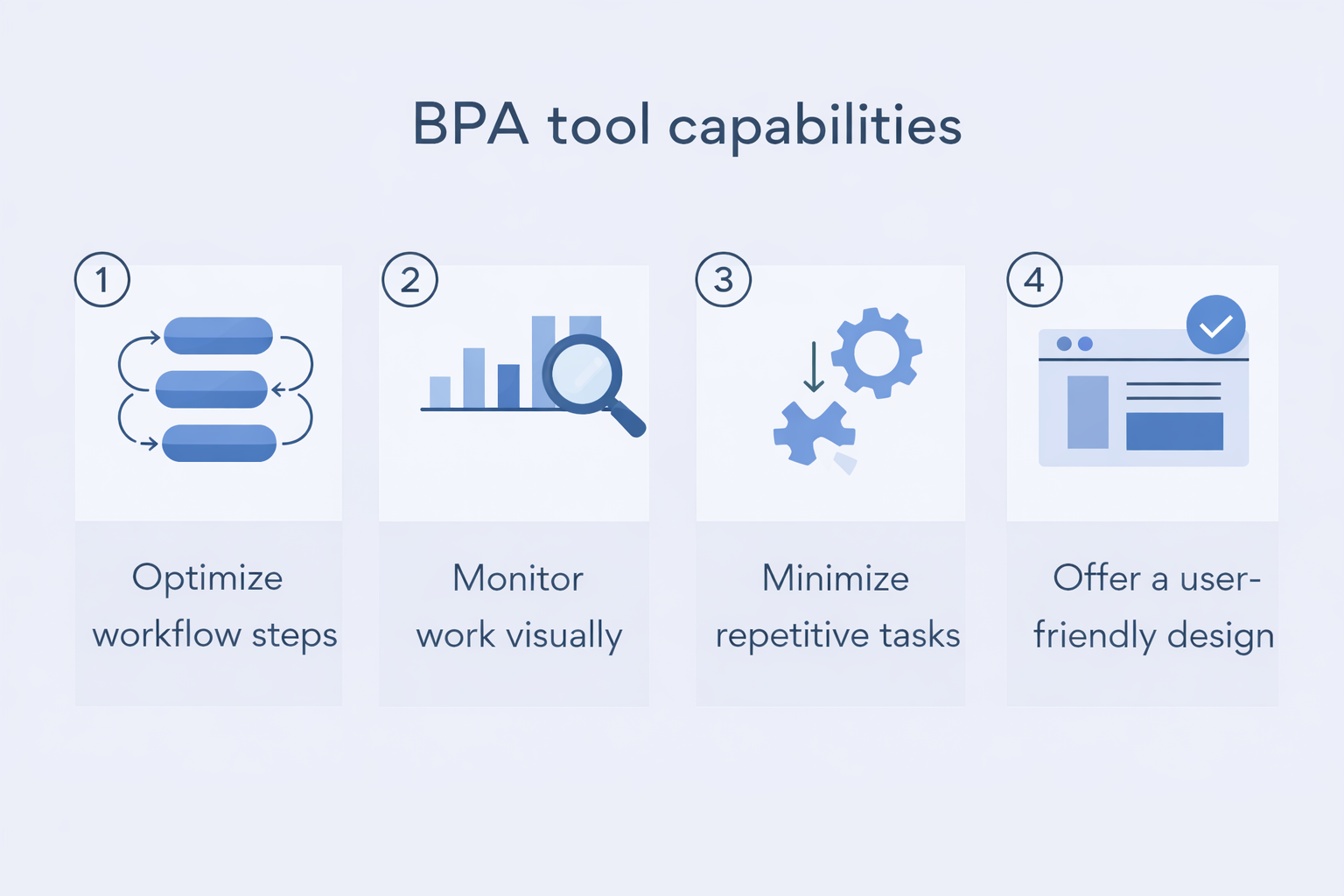
When common SaaS and low‑code may be enough
If your process is mostly internal and data lives in a few systems, you may be able to use:
- Workflow features inside your CRM or ticketing tool.
- Low code automation platforms to connect forms, approvals, and notifications.
- Off the shelf integration tools (iPaaS) to sync data between systems.
Even in this case, it helps to design from the process automation roadmap first, then implement the pieces inside tools your IT team already trusts.
When you need custom portals and orchestration
For cross company workflows with vendors, brokers, or field crews, you often outgrow generic tools. You may need:
- A vendor or client portal where external partners can submit and track work.
- A coordination layer that sits over CRM, ERP, billing, and document storage.
- Strong access controls, SSO/SAML, and audit logging from day one.
This is the space where ScaleLabs’ AI driven workflow automation solution fits: orchestration and AI that match your real‑world process rather than forcing you into someone else’s templates.
For background on how leading companies think about operations automation, reports from firms like McKinsey or research from Harvard Business Review can be useful context when talking with your board or executive team.
Step 5: Ship, measure, and iterate
The hardest part isn’t the strategy deck; it’s getting a working version into the hands of your teams. Shipping beats theorizing every time.
Launch a “walking” version first
Start with a version that:
- Covers the full end to end process, even if some steps are still manual.
- Has basic dashboards and audit trails.
- Handles the most common paths; edge cases can still be handled manually at first.
Instrument everything
From day one, log:
- Where work stalls and for how long.
- Which teams are constantly sending the process “back a step.”
- How often humans override AI or routing rules.
Feed lessons back into the roadmap
After 4 to 8 weeks of usage, revisit your roadmap. Promote successful patterns to other workflows, and retire or refactor steps that keep causing confusion. This is how your business process automation strategy matures from a project into an operating habit.
Common automation traps (and how to handle them)
Even teams with the best intent fall into similar traps. Here are a few to watch for:
- Automating a broken process: If everyone already complains about the workflow, fix the design before adding bots and AI.
- Ignoring external partners: Vendors and brokers often sit outside your systems. Without a clear portal or interface, they stay stuck in email.
- “One big launch” thinking: Huge projects that run for a year without shipping rarely match reality once they hit production.
- Security as an afterthought: SSO, audit logs, and data boundaries need to be in scope from the first design conversation.
A simple test: if your plan doesn’t show a working version in under six months, it may be too heavy for a first release.
If security is a primary concern, our article on magic link authentication goes deeper on access patterns for portals.
Example roadmap for an operations heavy business
Let’s ground this with a quick sketch. Picture a regional utilities provider struggling with new connection requests. Today, sales, engineering, field crews, and billing all run their own spreadsheets. Customers keep asking, “What’s the status?” and nobody has a single answer.
Phase 1: Connection request portal (0 to 90 days)
- Launch a simple portal where internal teams and key partners can submit and track connection requests.
- Standardize intake forms and document checklists.
- Sync core data back into CRM and billing; keep complex design work in existing tools.
Phase 2: Routing and AI assisted checks (90 to 180 days)
- Route requests based on region, connection type, and risk level.
- Use AI to read drawings and permits, flagging missing pieces before scheduling crews.
- Expose a simple status page for customers so they ask fewer “just checking in” questions.
Phase 3: Extend to adjacent workflows (180+ days)
- Reuse the same orchestration layer for upgrades, disconnects, or maintenance requests.
- Standardize analytics across all field workflows so leadership can compare performance.
Notice what this does: it treats automation as a continuous process, not a one off IT project. Each step in the process automation roadmap adds value on its own while setting up the next.
When to bring in a partner like ScaleLabs
Some teams have the in house product and engineering capacity to build this alone. Many operations groups don’t and that’s okay. What matters is getting from PowerPoint to a working workflow that your teams will actually use.
At ScaleLabs, we work with operations heavy companies in the “real economy” to:
- Map messy, cross team workflows and turn them into clear automation designs.
- Build custom vendor and client portals that sit over your CRM, ERP, and finance systems.
- Use AI to check forms, route work, and keep processes moving without losing human oversight.
For a concrete example of how this looks in practice, see our B Sure Boot case study, where an AI‑powered equine health portal turned complex sensor data into clear decisions for trainers and vets.
If you’d like help turning your process automation strategy into a live portal or internal tool backed by enterprise grade security and measurable outcomes you can book a call. We’ll talk through your current workflows and sketch a realistic first release, not a buzzword heavy future state that never ships.
For more thinking on automation and AI in operations‑heavy businesses, you can also check other articles on the ScaleLabs blog.
You can also explore our vendor portal and client portal solution pages to see common patterns.


