
Workflow Software: What It Is and How It Improves Business Operations

ScaleLabs helps ops-heavy B2B teams ship client portals and workflow automation that reduce email chaos, speed up onboarding, and improve visibility across the business.
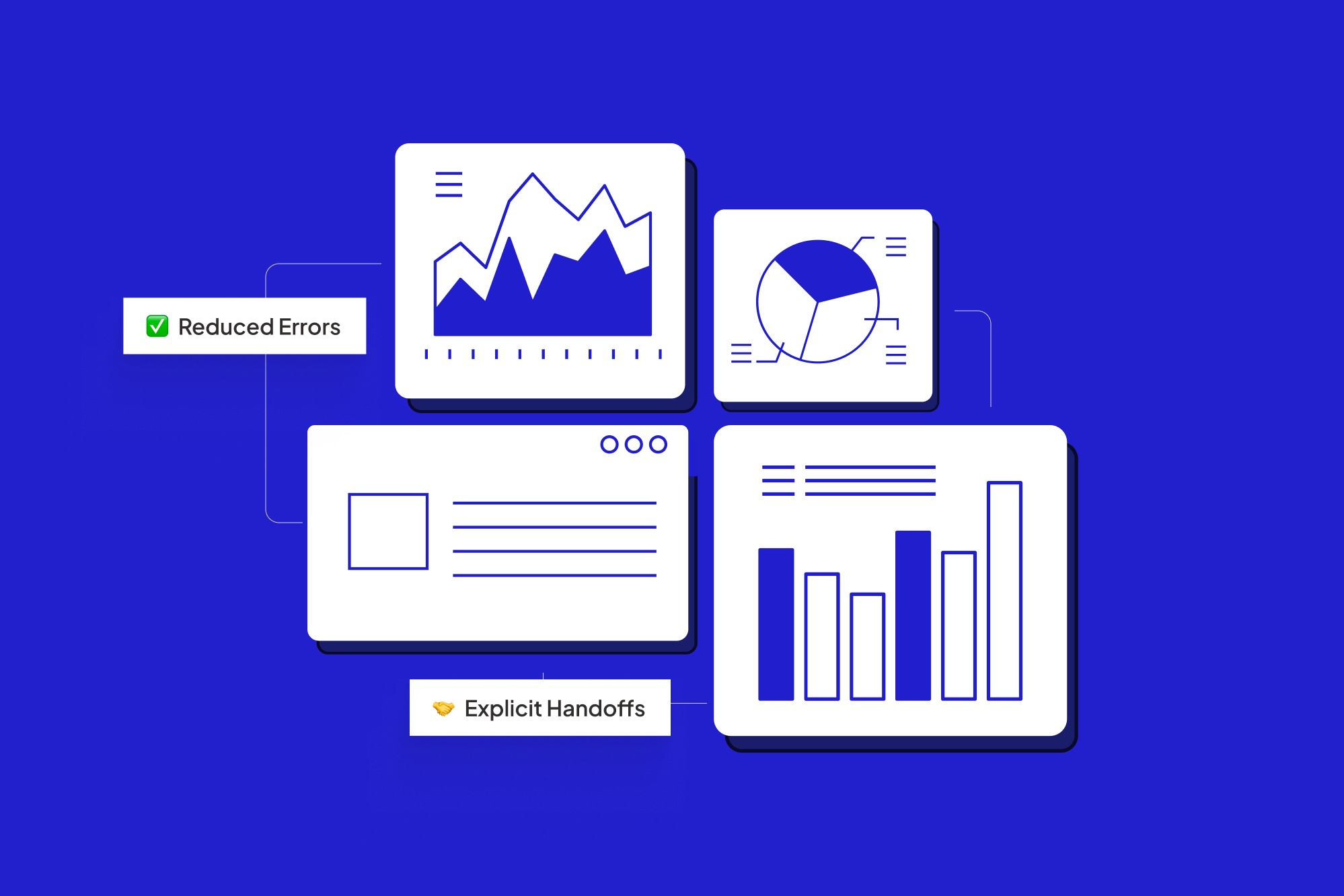
If your team runs on email threads, spreadsheets, and “just ping me on Slack,” you don’t need another dashboard. You need better workflow software that keeps work moving without you chasing every task by hand.
This article is for operations leaders in sectors like utilities, construction, logistics, insurance, and manufacturing who feel the friction every time a vendor onboarding, site inspection, or claims process slips through the cracks.
We’ll unpack what this software actually is, how it relates to workflow management software and workflow automation software, and where it can genuinely change day to day operations rather than just adding another tool to the pile.
TL;DR:
- This software coordinates tasks, people, systems, and data across a repeatable process.
- Workflow management software helps you design, track, and improve those processes.
- Workflow automation software takes the repetitive steps and executes them automatically (with humans stepping in where judgment is needed).
- Done right, this means fewer errors, faster cycle times, clearer accountability, and better compliance across your operations.
What is workflow software?
A workflow is just “who does what, in what order, with which information.” Workflow software turns that unwritten recipe into an explicit, trackable flow that lives in software instead of in people’s heads.
At a minimum, workflow software lets you:
- Define the steps in a process (for example: submit request → review → approve → schedule field work → close).
- Assign owners and due dates for each step.
- Attach forms, documents, and data to the work as it moves.
- Trigger notifications and status updates so nobody wonders “where is this sitting?”
- Track progress and bottlenecks over time.
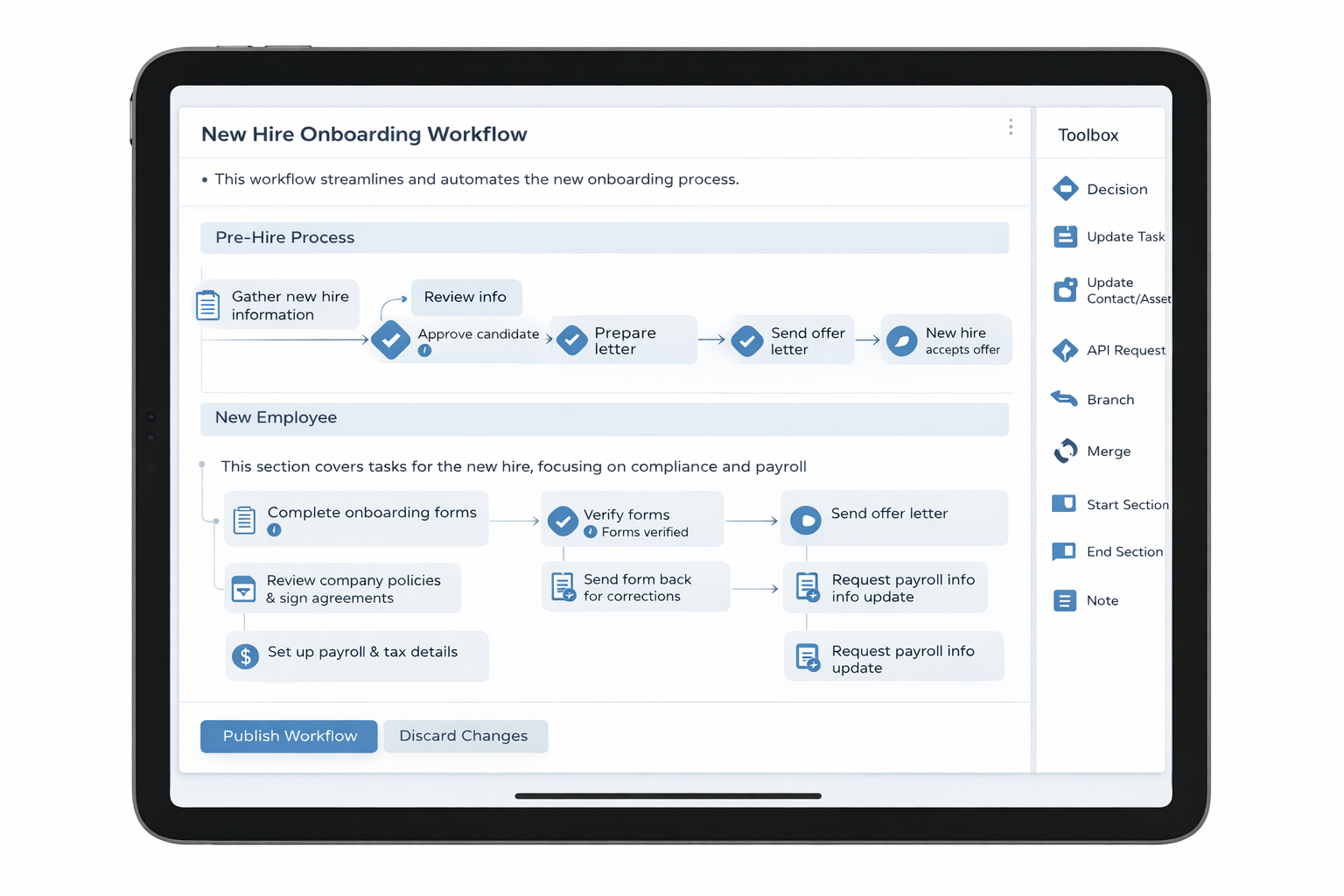
Modern tools go further, connecting to your CRM, ERP, finance system, document storage, and communication channels so tasks and data flow across the whole stack instead of bouncing between manual exports and inboxes.
Workflow software vs workflow management software vs workflow automation software
How is workflow management software different?
People often use these terms interchangeably, but there are some helpful distinctions:
- Workflow management software focuses on designing and supervising processes. Think visual builders, SLA tracking, reporting, and continuous improvement.
- Workflow software is the broader category: the place where the actual work gets created, assigned, and completed.
- Business process management (BPM) suites sit at the more formal, enterprise end of this spectrum with lots of governance and modeling features.
Where does workflow automation software fit in?
Workflow automation software is what takes the individual steps and has software perform them automatically. Instead of a coordinator chasing signatures or copying data between systems, the platform:
- Reads a form submission or email and extracts the key data.
- Checks for missing or bad information.
- Routes the item to the right team or vendor.
- Updates systems like your ERP or policy admin platform.
- Surfaces exceptions to a human for a judgment call.
Research from McKinsey suggests that around half of work activities could be automated with current technology. That doesn’t mean half your jobs disappear; it means half the clicks, re-keying, and status chasing can move into the background so your team can focus on higher‑value work.
Common workflow problems in operations heavy businesses
If any of these sound familiar, stronger workflow software is probably on your roadmap already:
- Email as the system of record. Key steps only exist in someone’s inbox, so people get left off threads and decisions are hard to reconstruct.
- Endless spreadsheet versions. “Final_v7.xlsx” lives on a shared drive, but someone is still editing v5 on their laptop.
- Shadow workflows. Different regions, branches, or project managers all run their own slightly different process.
- Slow vendor or client onboarding. Requests bounce between teams, legal reviews, and compliance checks with little visibility into current status.
- Compliance worries. Auditors ask “who approved this and when?” and the short answer is “give us a week to piece it together.”
“Email and spreadsheets are fine for experimentation. They’re a liability once a process becomes mission critical.”
Industry data points to large benefits when these manual flows are digitized: some studies report error reductions of up to 70% after workflow automation, thanks to better validation and audit trails.
How does workflow software improve business operations?
1. Fewer errors and less rework
When every step lives in a defined flow, you can enforce required fields, standard documents, and consistent approvals. Workflow automation software can check for missing attachments, mismatched IDs, or out of policy values before the item ever hits an approver’s desk.
The result: fewer “sorry, wrong version” messages, fewer retroactive corrections, and lower risk in areas like claims handling, installations, and contract changes.
2. Faster cycle times and smoother handoffs
In operations, small delays compound fast. A field team waits for paperwork, the scheduler waits for clearance, finance waits for a completion code, and a customer wonders why nothing is happening.
With workflow software, those handoffs are explicit. A decision at one step can immediately:
- Create downstream tasks in the same system.
- Notify the next owner with context included.
- Update external systems so nobody has to key data twice.
Studies on automation show that well designed workflows often deliver three to ten times the benefits compared with their implementation cost, through a combination of higher output and improved quality.
3. Better visibility, compliance, and reporting
For COOs and Heads of Operations, one of the biggest gains is simply being able to answer:
- Where is this request right now?
- Who is waiting on whom?
- How long does each step actually take by region or line of business?
Good AI workflow management software gives you dashboards, filtered queues, and historical data that make bottlenecks obvious. For regulated sectors, those same logs support internal control testing, audits, and customer SLAs.
Key features to look for in workflow management software
There’s no single “best workflow software for operations teams,” but there are patterns that show up again and again in successful deployments.
1. Strong integrations and data plumbing
Your workflow system should talk to your:
- CRM or policy admin system (customers, vendors, contracts).
- ERP or finance platform (orders, invoices, payouts).
- Document management tools (contracts, photos, permits).
- Communication channels (email, Slack/Teams, SMS where required).
The winning setup turns the workflow into the hub that orchestrates everything, instead of yet another disconnected app. For deeper background on why end‑to‑end process thinking matters more than isolated bots, McKinsey has written extensively on next‑generation operating models.
2. Human in the loop checkpoints
In the real economy, many steps still need judgment: underwriting edge cases, safety exceptions, non standard pricing, or field reports that don’t fit the template.
Look for workflow automation software that:
- Lets AI or rules handle the mechanical tasks.
- Escalates exceptions to the right expert with full context.
- Logs those decisions so the system can learn over time.
3. Security, auditability, and enterprise controls
Especially in sectors like utilities, insurance, and infrastructure, you’ll want:
- Single sign on (SSO) and SAML support.
- Granular permissions by role, team, and external partner.
- Encryption, logging, and clear data retention policies.
- Configurable approval paths and segregation of duties.
This is where generic tools often hit a ceiling, and where custom workflow applications can give you the control you need without slowing teams down.
Should you build or buy workflow automation software?
Once leaders see the upside, the next question is: “Do we pick an off‑the‑shelf product, or do we build something around our own processes?”
When buying standard workflow software makes sense
- Your processes look a lot like everyone else’s (basic approvals, IT tickets, HR requests).
- You can live with the tool’s opinionated way of working.
- You want a quick start, with modest customization.
When custom workflow applications are the better path
- Your workflows touch multiple legacy systems and external partners.
- Compliance, risk, or safety requirements call for fine grained control.
- Your process is a competitive advantage (for example, how you onboard brokers, manage field installations, or handle complex claims).
- You need internal and external portals (for vendors, agents, or customers) that map exactly to how your operation works.
Many ScaleLabs clients sit in this second camp: standard tools get them 60% of the way, but the last 40% lives in spreadsheets and email because their reality doesn’t fit a generic template.
Getting started with workflow software: a simple 5 step rollout plan
The biggest wins rarely come from an enterprise “big bang.” They come from picking one painful workflow and fixing it end to end.
- Pick a single high impact workflow.
Think vendor onboarding, field work orders, site inspections, claims intake, or change requests. Look for a flow with clear volume and obvious pain today. - Map the real world steps.
Sit down with the people who actually do the work. Whiteboard every step, every system they touch, and every place where handoffs stall. - Separate rules from judgment.
Mark steps that follow clear rules (these are good candidates for automation) versus steps where someone needs professional judgment. - Configure or design the workflow.
In your workflow management software or custom app, build the steps, roles, forms, and integrations you mapped. Start with a small pilot group. - Measure, tune, then expand.
Track cycle time, error rates, and email volume before and after. Once the gains are clear, roll out to more teams and tackle the next workflow.
For a deeper introduction to process thinking and business process automation, vendors like Camunda and industry resources such as the Workflow Management Coalition publish helpful primers that pair well with hands on experiments in your own environment.
Where ScaleLabs fits in the workflow software landscape
ScaleLabs works with operations‑heavy companies in the real economy to design and build custom workflow applications, vendor and client portals, and AI assisted decision tools that sit on top of your existing systems.
Instead of handing you a generic product and a long configuration guide, we:
- Co‑map your current workflows with your operations, risk, and IT leaders.
- Design end to end flows that connect CRM, ERP, finance, and document tools.
- Use AI agents and smart triggers to route tasks, check inputs, and surface exceptions.
- Build secure portals for vendors, brokers, or clients so coordination happens in one place.
- Measure impact in terms that matter: onboarding time, email volume, completion rates.
You get the benefit of automation and workflow management software, without having to become a full‑time workflow architect yourself.
If a specific workflow is keeping your team up at night, we’re happy to look at it together. You can book a call with the ScaleLabs team to talk through a concrete starting point. And if you are new to ScaleLabs, you can read this blog post to know about ScaleLabs and how it operates


