
Real-Time Contract Management Dashboard: Automation in Action

ScaleLabs helps ops-heavy B2B teams ship client portals and workflow automation that reduce email chaos, speed up onboarding, and improve visibility across the business.
Contracts are at the heart of every business relationship, from vendor partnerships to client projects and internal hires. Yet in many companies, they’re still managed through email threads, shared drives, and disconnected spreadsheets.
That’s where problems start. Missing versions. Delayed approvals. Forgotten renewals. Teams spend hours chasing documents instead of managing relationships.
A contract management workflow solves that by creating a repeatable, trackable path for every contract, from the moment it’s requested to when it’s signed, stored, and renewed.
Modern businesses, especially those managing multiple vendors or projects, can’t rely on manual follow-ups anymore. Workflows not only speed things up but also build accountability and compliance into every stage.
When done right, a contract workflow:
- Cuts turnaround times on reviews and signatures
- Reduces risk by tracking every approval and clause change
- Keeps all stakeholders aligned with one source of truth
- Enables faster audits and renewals without manual digging
In short, workflows turn contract management from a reactive process into a controlled system, the kind of system that scales with your business.
What Is a Contract Management Workflow?
A contract management workflow is the structured process that defines how a contract moves from request to approval to renewal.
It outlines:
- Who needs to review or approve
- What information must be captured
- Which system or action happens next
It’s the bridge between contract lifecycle management (CLM) and daily operations management software. While CLM focuses on managing the entire lifespan of a contract, a workflow defines the steps, logic, and automation that make that lifespan efficient and error-free.
Here’s how they differ in practice:
So, if CLM is the blueprint, workflow is the machinery that keeps it running smoothly.
Key Goals of a Contract Workflow
- Consistency: Every contract follows the same path, no matter the requester or department.
- Visibility: Anyone involved can see where a contract stands in real time.
- Compliance: Reviews, clauses, and sign-offs follow company and legal policy.
- Speed: Automated routing eliminates unnecessary back-and-forth.
By standardizing these steps, a workflow gives both control and flexibility, control over compliance and timing, and flexibility to handle different contract types or departments.
The 7 Stages of a Contract Lifecycle Management Workflow
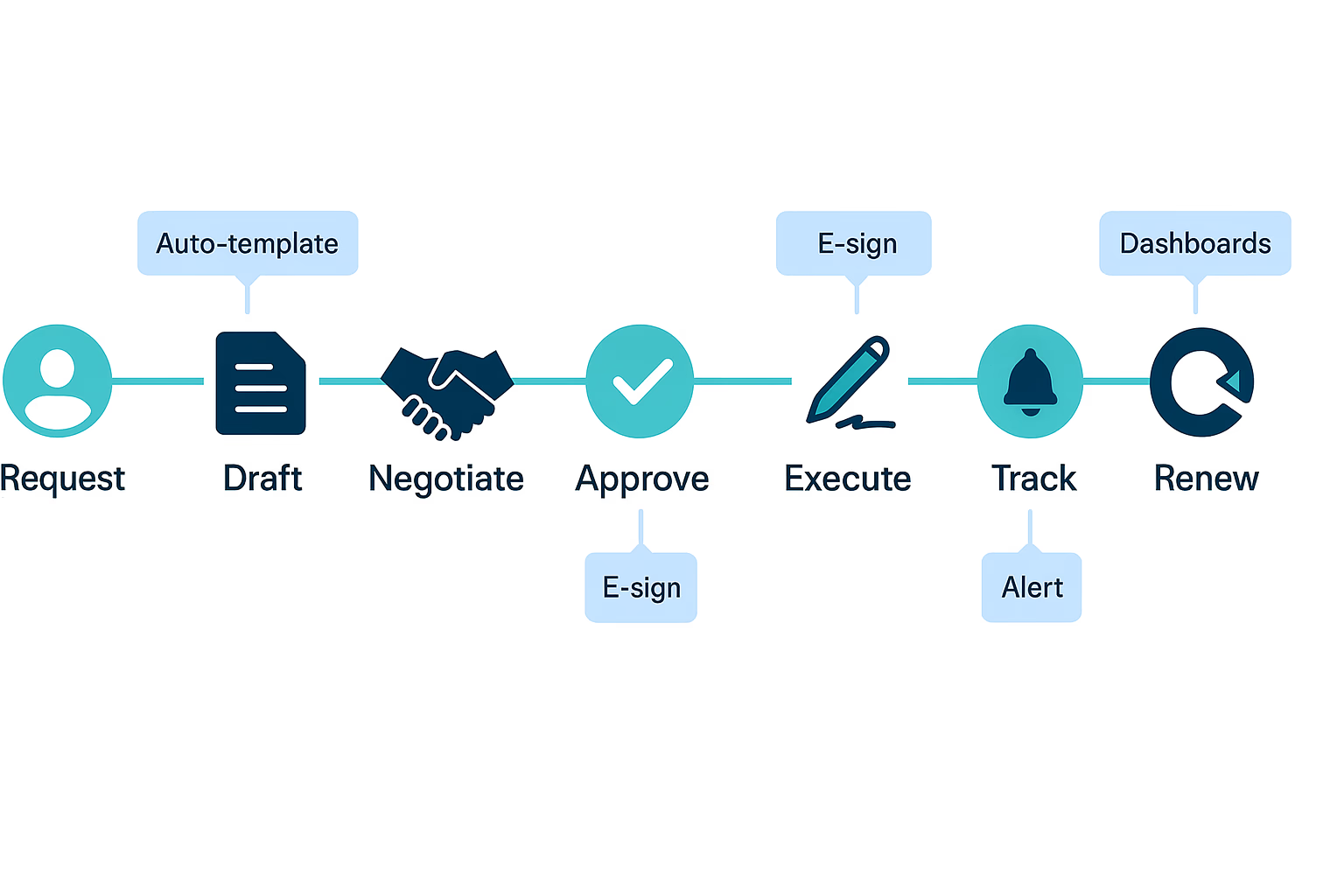
Each stage of the workflow adds structure and traceability. Below is a breakdown of how it typically flows inside modern organizations:
Stage 1: Contract Request & Intake
This is where everything begins. A department, vendor, or partner submits a request for a new contract. Instead of sending an email, smart workflows use intake forms that acts like a new client implementation that capture:
- Contract type (NDA, vendor agreement, service contract)
- Department or requester name
- Value and deadline
- Required reviewers or approvers
Automation Tip: Automatically route the request to the right team based on type or department, for example, procurement vs. legal.
Stage 2: Drafting & Template Use
Once approved for drafting, legal or operations teams create the first version. Using standardized templates and clause libraries avoids retyping terms or missing critical clauses. It also speeds up turnaround.
Pro tip: If your workflow integrates with document software (like Google Docs, Word Online, or your portal’s editor), you can track version history automatically and store each draft in a centralized repository.
Stage 3: Review & Redlining
This is where contracts often stall. Multiple reviewers, legal, finance, and operations, need to make changes or leave comments.
A good workflow adds:
- Version tracking (so no one edits the wrong file)
- Comment threads (to avoid endless email loops)
- Approval routing (the contract moves automatically to the next reviewer once the previous one is done)
In B2B setups, this stage may also include external collaboration, where vendors or clients access a shared link to redline directly in the system.
Goal: Reduce the “Where’s the latest version?” problem and make it easy for everyone to approve confidently.
Stage 4: Approval & Signature
Once all reviewers finish their part, the contract moves into final approval. This stage is often where bottlenecks occur, waiting on one signature, chasing an executive, or manually verifying every clause.
A solid workflow automates this chain:
- Sends notifications to each approver in sequence.
- Ensures only authorized people can approve or sign.
- Logs every decision for audit purposes.
Integrating eSignature tools (like DocuSign or Adobe Sign) simplifies this further. Once everyone signs, the system automatically timestamps and archives the final version.
Pro Tip: Create approval thresholds (for example, if contract value exceeds $50,000, it auto-routes to the CFO). This keeps your approval logic scalable as deal sizes vary.
Stage 5: Execution & Storage
Once signed, the contract is considered executed, but that’s not the end. It now needs a central repository where teams can easily find, track, and manage it later.
Modern workflows automatically:
- Store the signed contract in a shared, searchable database.
- Tag it with metadata (vendor name, project, start/end dates, renewal terms).
- Sync the details with your ERP, CRM, or vendor portal for real-time reporting.
This step is key for compliance, no more “lost” contracts or duplicate files.
Everyone who needs visibility (finance, procurement, or legal) can access it instantly.
Stage 6: Obligation Tracking & Compliance
Once a contract is live, deadlines, deliverables, and milestones kick in. Manual tracking often fails here; someone forgets to send a reminder or misses a payment clause.
A workflow can automate all of this by:
- Generating alerts for due tasks or renewals.
- Assigning obligations to responsible team members.
- Sending automated reminders when something is nearing a deadline.
- Reporting completion or non-compliance directly to dashboards.
This keeps the entire post-signature phase transparent and manageable. Every clause has an owner, and every owner has a timeline.
Stage 7: Renewal or Termination
As the contract nears its end date, the system flags it for review. Your workflow should be smart enough to:
- Send renewal reminders 30–90 days in advance.
- Pre-fill renewal templates with old data.
- Route to the right team for decision-making (renew, renegotiate, or close).
Automation idea: Contracts below a certain value could renew automatically under standard terms, while higher-value ones trigger a legal review first.
This final stage closes the loop, turning a static document into a living business process.
Contract Management Workflow Automation Explained
Automation is what transforms a good workflow into a great one. It’s not about replacing people; it’s about removing repetitive steps, reducing delays, and making compliance automatic. Here’s how automation fits into each layer of the workflow:
Automation ensures that nothing slips through the cracks. You can measure and optimize every step, how long contracts take to approve, where bottlenecks form, and how obligations are tracked post-signing.
Benefits of Workflow Automation
- Faster Turnaround: No waiting on manual routing.
- Error Reduction: Consistent metadata, templates, and routing reduce human mistakes.
- Audit Readiness: Every action (who approved, when, why) is logged automatically.
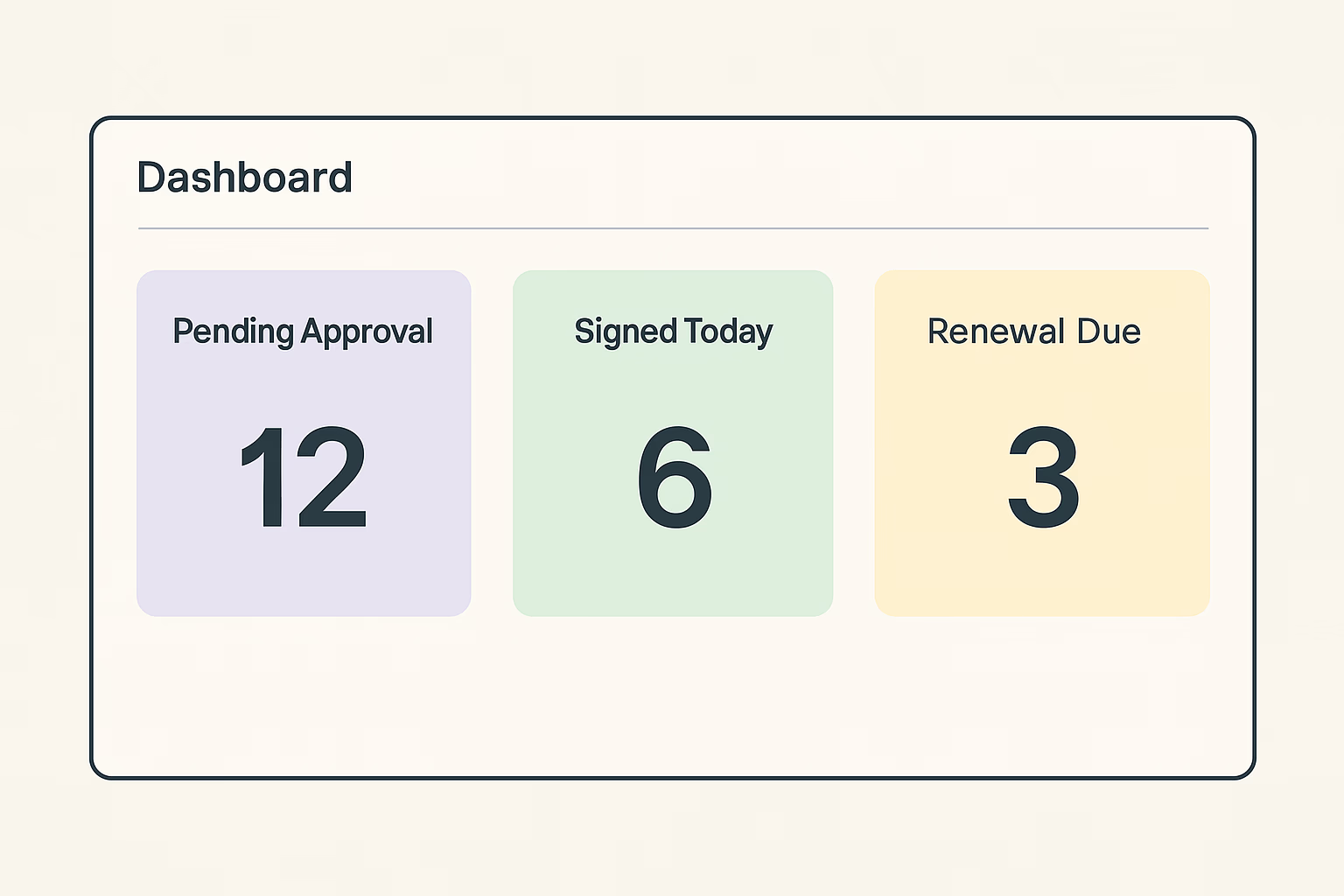
- Visibility: Teams can see all contract statuses in one dashboard.
- Scalability: Handles hundreds of contracts without extra admin hours.
For companies dealing with high contract volume - vendors, suppliers, clients - this is the difference between surviving chaos and running a controlled, measurable system.
Best Practices for Building a Scalable Workflow
A well-built contract workflow doesn’t just organize documents; it scales with your business as contract volume grows. Below are key practices followed by teams that handle thousands of agreements efficiently.
- Standardize Templates and Clauses
Use pre-approved templates for different contract types - NDAs, vendor lifecycle management, vendor agreements, service contracts, etc. This avoids rewriting terms and ensures compliance from day one. For example, a “Vendor Agreement” template can auto-fill jurisdiction and liability clauses without legal review each time.
- Define Approval Rules and Routing
Set clear thresholds for review and approval. For instance:
- Contracts under $10K → Auto-approve after procurement check.
- Over $50K → Route to finance + legal.
- Strategic vendors → CEO-level approval.
This kind of logic can be built right into the workflow so every request follows a consistent path.
- Set Reminders and SLA Timers
Every stage: draft, review, approval. Should have an SLA (Service Level Agreement) for response. Automated reminders reduce follow-ups and make sure contracts never sit idle.
- Use Role-Based Access Control
Keep sensitive information restricted. Legal, finance, and vendor managers should only see what’s relevant to them. Role-based permissions protect data while maintaining visibility.
- Track Real Metrics
A workflow is only as strong as the data behind it. Track:
- Cycle Time: Request → Execution
- Review Time per Stage
- Number of Contracts Pending Renewal
- Error/Return Rate: How many come back for corrections
These metrics help identify bottlenecks and justify future automation investments.
Common Challenges & How to Overcome Them
Even with the right tools, teams face recurring workflow pain points. Here’s how to tackle the most common ones:
A contract workflow is not “set it and forget it.” The best systems evolve as your business, teams, and compliance needs grow. Regular audits of your process ensure that automation continues to deliver real value.
Examples of Contract Management Workflow in Action
Let’s look at how workflows look in different contexts:
Procurement Contracts
When a company sources equipment or materials, the workflow:
- Starts with a purchase request.
- Routes to procurement for supplier verification.
- Generates a draft with pre-approved clauses.
- Moves to the legal team for a compliance check.
- Sends to finance for final approval.
- Executes via eSignature.
Result: A faster cycle and full traceability on who approved what.
Vendor or Client Agreements
These involve back-and-forth negotiations. A workflow handles versioning, comment tracking, and cross-department approvals without losing context. Every signed contract is tagged with vendor data and pushed to ERP or CRM.
HR and Employment Contracts
HR can auto-generate contracts using pre-filled data from onboarding systems. Approvals route to department heads, e-signatures finalize it, and the record syncs to the employee database, all without manual handoffs.
How ScaleLabs Simplifies Contract Workflows
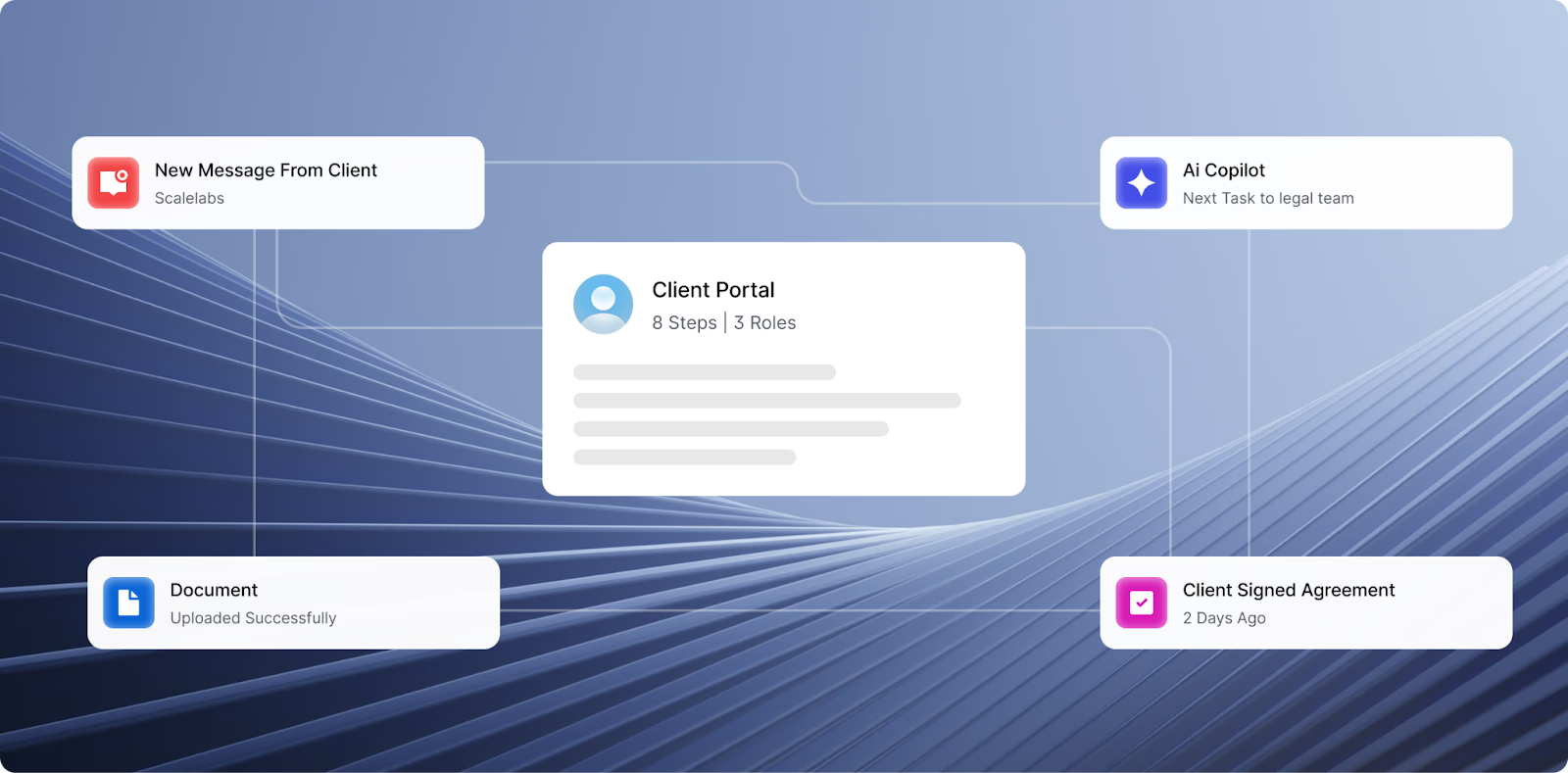
At ScaleLabs, we help businesses build custom, automated contract workflows that reduce manual errors and centralize visibility. Our approach is simple: design once, automate forever.
Here’s what ScaleLabs enables:
- Smart Intake Portals: One entry point for all contract requests, with routing logic built in.
- Template & Clause Libraries: Reduce drafting time by 70% with reusable, legal-approved language.
- eSignature & ERP Integration: Connect workflows with your existing systems like Sage, QuickBooks, or Salesforce.
- Real-Time Dashboards: Track cycle times, pending approvals, and renewals in one view.
- Audit-Ready Records: Every edit, comment, and signature is logged and exportable for compliance.
- Renewal Automation: Get proactive alerts before key contracts expire or auto-renew.
In short, ScaleLabs replaces scattered email trails with a unified, automated flow — purpose-built for your business needs.
Ready to streamline your contract workflow?
Talk to ScaleLabs →
Conclusion: Turning Contract Chaos into Clarity
Contracts drive every business, but without structure, they also create bottlenecks, confusion, and risk. A contract management workflow brings order to that chaos. It defines every step, tracks every signature, and builds accountability into your system.
When you layer automation and integration into this process, you move from manual oversight to measurable efficiency. ScaleLabs helps businesses make that jump, from paper-heavy processes to smart, connected workflows that actually scale.


